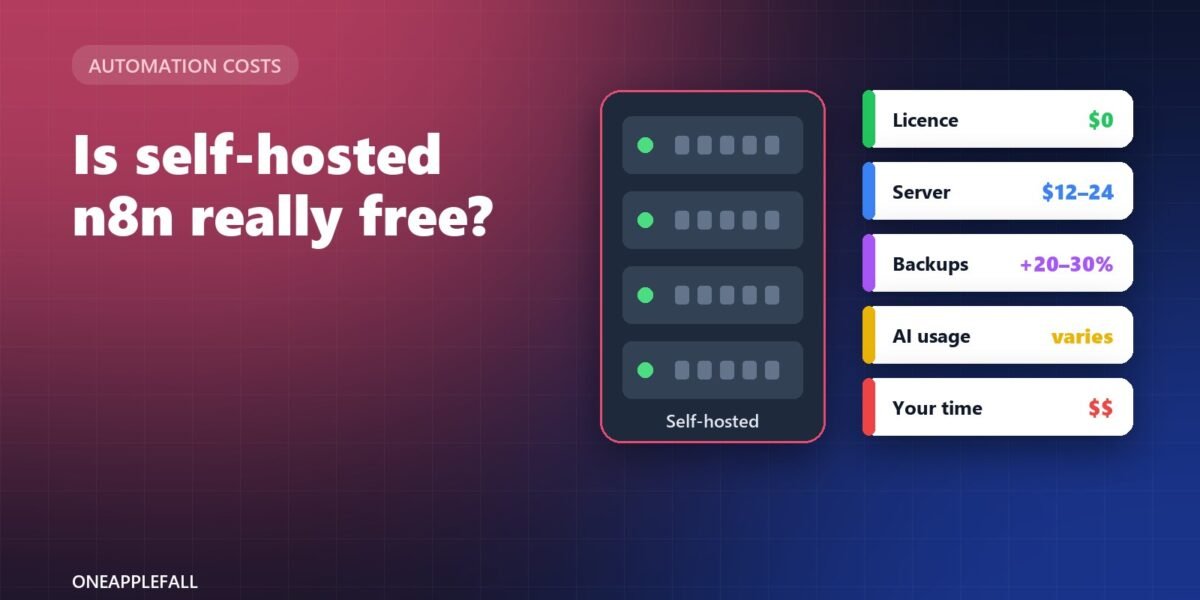
Illustration by OneAppleFall. Not an official n8n image.
Researched October 24, 2026
n8n is popular with small businesses because the self-hosted Community Edition has no licence fee and no limit on how many workflows run. [1][2] “No licence fee” is not the same as free, though. You still pay for a server, backups, any AI models your workflows call, and the time it takes to keep everything running. This guide adds those costs up and compares them with n8n’s own cloud plans.
Quick answer: Expect roughly $12 to $35 a month in hosting for a small self-hosted n8n setup, using US cloud prices from DigitalOcean as an example ($12 to $24 a month for the server, plus 20% to 30% for backups). [3] Add AI or API usage if your workflows call models, and your own time for updates and maintenance. n8n Cloud starts at €20 a month billed annually for 2,500 workflow runs, with hosting and updates handled for you. [1] Self-hosting usually pays off when you run many workflows, need data on your own server, or already have someone technical.
This is a researched cost guide based on n8n’s documentation and published hosting prices, checked October 24, 2026. The time estimates are illustrative examples, not measurements.
What “free” covers, and what it doesn’t
| Cost item | Self-hosted Community Edition | n8n Cloud |
|---|---|---|
| Software licence | Free [1][2] | Included in plan price [1] |
| Workflow runs | Unlimited (limited only by your server) [1] | 2,500 a month on Starter, 10,000 on Pro [1] |
| Server | You pay a hosting provider [3] | Included [1] |
| Backups | You set them up and pay for them [3] | Part of n8n’s hosted service |
| Updates and security | Your responsibility [4] | Part of n8n’s hosted service |
| AI models | Your own API keys and bills | AI assistant credits included on Cloud plans [1] |
The licence: free, with one important limit
The Community Edition is released under n8n’s Sustainable Use License, which allows use “only for your own internal business purposes or for non-commercial or personal use.” [2] Running it for your own company is fine. Offering n8n itself as a paid hosted service to other businesses is not.
Cost 1: the server
n8n runs on a Linux server, usually with Docker. [4] How big a server you need depends on how many workflows run at once and how much data they handle. One 2026 hosting guide suggests 2 CPU cores and 2 GB of RAM for testing, and 4 or more cores with 8 GB of RAM for production use, with a PostgreSQL database instead of the default SQLite. [5] Many small businesses with a handful of simple workflows start smaller and upgrade if needed.
US prices for DigitalOcean’s Basic servers, as an example: [3]
| Server | Monthly price |
|---|---|
| 1 vCPU, 2 GB RAM, 50 GB SSD | $12 |
| 2 vCPU, 2 GB RAM, 60 GB SSD | $18 |
| 2 vCPU, 4 GB RAM, 80 GB SSD | $24 |
Other providers charge in a similar range, and some European hosts are cheaper. You will also need a domain name and an SSL certificate for secure access; certificates from Let’s Encrypt are free. [6]
Cost 2: backups
Your workflows, credentials and run history live on that server. If it fails without a backup, you rebuild from scratch. DigitalOcean, for example, charges 20% of the server price for weekly backups or 30% for daily backups. [3] On a $24 server, daily backups add about $7.20 a month.
Cost 3: AI and API usage
If your workflows call AI models (to summarise emails, classify leads or draft replies), those calls are billed by the model provider per token, separately from n8n. On self-hosted n8n you use your own API keys. [1] Costs range from a few cents to many dollars a month depending on volume and model; estimate yours with our AI API cost calculator or read our LLM API pricing guide.
Cost 4: your time
This is the cost most “free n8n” articles leave out. Self-hosting means someone has to:
- install and configure n8n, the database and a reverse proxy;
- apply n8n and operating-system updates;
- check that backups work and restore them when needed;
- watch for errors, full disks and security issues.
As an illustration only: if upkeep takes 2 hours a month and you value that time at $50 an hour, that is $100 a month, more than the server itself. If a technical team member already maintains servers, the extra time may be small.
Putting it together: three example setups
| Setup | Server | Backups | Monthly hosting | Plus |
|---|---|---|---|---|
| Light self-hosted | $12 (1 vCPU, 2 GB) | Weekly, $2.40 | about $14 | Your time, AI usage |
| Small-business self-hosted | $24 (2 vCPU, 4 GB) | Daily, $7.20 | about $31 | Your time, AI usage |
| n8n Cloud Starter | Included | Included | €20 billed annually (2,500 runs) | AI usage beyond included credits |
Server and backup prices from DigitalOcean; n8n Cloud price from n8n. [1][3]
When self-hosting n8n makes sense
Self-host if you:
- run many workflows or long ones (Cloud plans count every run against a monthly allowance); [1]
- need data to stay on your own server for privacy or compliance reasons;
- already have someone comfortable with Linux, Docker and backups.
Choose n8n Cloud if you:
- run a modest number of workflows each month;
- don’t have anyone to maintain a server;
- would rather pay a predictable monthly fee than handle updates and backups.
Comparing n8n with other tools? See Zapier vs Make vs n8n (2026) for how each one charges, with a worked example of the same workflow on all three.
Questions
Is n8n free for commercial use?
You can use the Community Edition for free inside your own business. The licence does not allow you to sell n8n itself as a service to others. [2]
How much RAM does n8n need?
It depends on your workload. One hosting guide suggests 2 GB for testing and 8 GB or more for busy production use with PostgreSQL. [5]
What does n8n Cloud cost?
Starter is €20 a month billed annually for 2,500 workflow runs; Pro is €50 a month billed annually for 10,000. [1]
Do I need a database for self-hosted n8n?
n8n works with SQLite out of the box, but guides recommend PostgreSQL for production. [5]
Is self-hosted n8n secure?
It can be, but security is your responsibility: keep n8n and the server updated, use HTTPS, restrict access and back up regularly. [4]