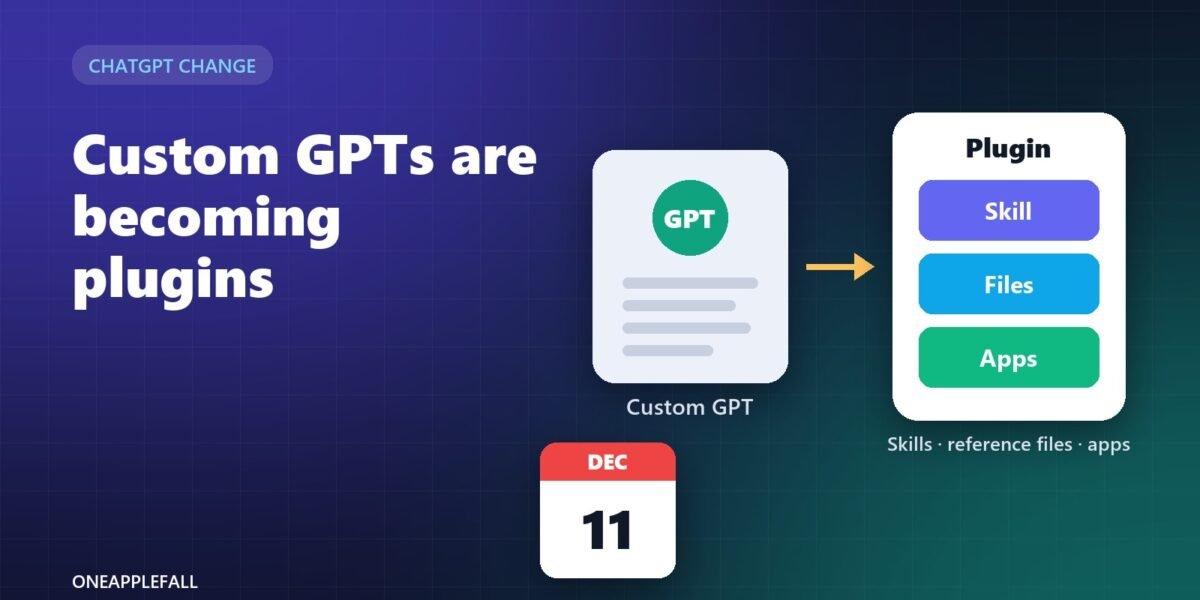
Illustration by OneAppleFall. Not a screenshot of ChatGPT.
Researched October 20, 2026
If you built a Custom GPT for your team, your clients or your own daily work, you now have a deadline. OpenAI has announced that Custom GPTs are being retired and replaced by plugins, a new package that can hold instructions, reference files and connected apps, and that works in both ChatGPT and Codex. [1][2]
The move is not just a rename. Some parts of a GPT carry over with one click, but others, including your old conversations, custom actions and sharing links, do not. If people outside your workspace use your GPT, that last point matters most.
Quick answer: Custom GPTs are scheduled to stop working on December 11, 2026. Enterprise workspaces with an approved deferral can keep them until February 11, 2027. Use My GPTs > Migrate to plugin to turn a GPT’s instructions into a skill and its knowledge files into reference files, then install, test and re-share the new plugin. Conversations, the chosen model, custom actions and sharing settings do not move automatically. [1][2][3]
This is a researched explainer based on OpenAI’s documentation and reporting. We have not tested every migration path, and OpenAI says timing can vary by account and workspace, so check the notice in your own account.
The key dates
OpenAI announced the change on September 11, 2026, in its ChatGPT release notes. [2]
| Date | What happens | Who it affects |
|---|---|---|
| September 11, 2026 | Retirement announced; new GPT creation starts pointing people to plugins | All plans [2] |
| October 26, 2026 | Creating new Custom GPTs ends | Affected Enterprise workspaces [2][3] |
| December 11, 2026 | Custom GPTs and their GPT pages are scheduled to stop working | Standard retirement date for all plans [1][3] |
| February 11, 2027 | Later retirement date | Enterprise workspaces with an approved deferral [2][3] |
OpenAI’s own wording is that timing and migration availability “may vary by account and workspace.” [1][2] Treat the notice inside your account as the final word.
What is a plugin, and how is it different from a GPT?
A Custom GPT was a single, self-contained assistant: one set of instructions, some uploaded files, optional actions that called outside services, and a chosen model.
A plugin is a package. It can contain one or more skills (instructions and resources for a repeatable job), reference files, connected apps, and optionally an MCP server, a standard way of exposing tools and outside systems to an AI model. [2] The same plugin directory is shared by ChatGPT and Codex, although some capabilities may only work in one of them. [2]
In practice the change is from “a separate chatbot you open” to “a capability you add to ChatGPT.” A consultancy guide from SVA maps each old GPT job to its new home: [4]
| What your GPT did | Where it goes now |
|---|---|
| Followed a repeatable process or set of instructions | A skill |
| Answered from a few small, static files | Reference files inside a plugin |
| Needed live data from company systems | A skill plus a connected app |
| Acted as an ongoing workspace with growing chats and files | A ChatGPT Project |
| Did multi-step work across several systems | Workspace agents or ChatGPT Work |
What carries over, and what you have to redo
The migration tool copies the most important parts of a GPT, but not all of them. The table combines OpenAI’s FAQ as reported by several outlets with one third-party guide where noted. [1][2][3][5]
| Part of your GPT | After migration |
|---|---|
| Name | Carries over [5] |
| Instructions | Become a skill in the plugin [2][3] |
| Knowledge files | Copied in as reference files [2][3] |
| Connected apps | Can be included in the plugin [2][3] |
| Chosen model | Not kept [2][3] |
| Custom Actions (API calls to outside services) | Not transferred; rebuild with an existing app or a custom MCP server [2][3] |
| Sharing settings and public links | Not transferred; the plugin starts private [2][3] |
| Past conversations | Not moved; they stay with the old GPT, which remains readable [3][5] |
| Conversation starters | Not moved, according to SiteSpeakAI; copy the useful ones yourself [5] |
| Unpublished draft changes | Not included; only the latest published version migrates [3][5] |
Two other details matter. After you migrate, the original GPT keeps working until the retirement date but becomes read-only. [3][4] And OpenAI warns that “a migrated plugin may respond differently,” so you should not assume it behaves exactly like the GPT it came from. [2]
How to migrate a Custom GPT, step by step
These steps follow OpenAI’s documented flow as summarised by SVA and SiteSpeakAI. The button rolled out in stages, so it may not appear in every account yet. [4][5]
- Publish your latest version. Only the published version migrates, so publish any draft changes first. [3]
- Save your test prompts. Write down five to ten prompts you use often and the kind of answer you expect, including any required output format.
- Note your custom actions. List every outside service the GPT calls; these will need rebuilding.
- Open My GPTs and choose “Migrate to plugin” next to the GPT. You need to be its creator or a workspace admin. [5]
- Find the new plugin under Plugins, in the Personal tab. It has your GPT’s name. [5]
- Install it. Migration creates the plugin but does not install it for you. [5]
- Test it with your saved prompts, both by mentioning the plugin with @ and without, and check that the right skill, reference files and output format are used. [2][5]
- Rebuild custom actions through an existing connected app or a custom MCP server. [2]
- Share it again. On Business or Enterprise plans, use the plugin’s menu and choose Share plugin with the access level you want. [5]
If something goes wrong, you are not alone: one bug report on OpenAI’s developer forum describes migrated plugins that could not be reliably edited afterwards. [7] Keep a copy of your instructions and files outside ChatGPT before you start.
Sharing is the hardest part
Many creators shared GPTs with an “anyone with the link” setting, including small businesses that sell access to customers who use their own ChatGPT accounts. That model does not carry over.
Migrated plugins start private, and people who used the old GPT do not automatically get access to the new plugin. [2][3] On OpenAI’s developer forum, creators say support has told them there is currently no documented way for a personal plugin creator to give specific outside customers access to a migrated plugin, and that link access for people outside a workspace “does not exist today.” [6] These are users relaying support replies, not statements from OpenAI staff.
The route to the public is the plugin directory, which requires a separate review by OpenAI. According to SiteSpeakAI, that review asks for a verified developer identity and a package that passes automated checks, and plugins that use an MCP server need extra material such as test credentials, test cases and support and privacy pages. [5] Creators on the forum say no review timeline has been published. [6]
If you sell or support a GPT for customers, plan now for one of three outcomes: a public listing after review, moving customers into a shared workspace, or delivering the tool somewhere else.
If you use someone else’s GPT
If you rely on a GPT built by another person or company, the change affects you even though you have nothing to migrate.
- Expect the link to stop working. On December 11 the GPT and its page are scheduled to go offline. [3]
- Ask the creator about their plan. Their new plugin will start private, so you may need a new invite, a workspace link or a public listing. [2][6]
- Save anything important. Your old conversations stay with the old GPT, so copy out any answers or files you want to keep before the deadline. [3][5]
- Look for the official version. For GPTs published by companies, check whether the company has released a plugin or app in ChatGPT instead.
A checklist before December 11
- List every Custom GPT you own or depend on, and what job each one does.
- Back up instructions, knowledge files and conversation starters outside ChatGPT.
- Publish your latest version of each GPT.
- Record your test prompts and expected answers.
- List custom actions and decide how each will be rebuilt.
- Decide where each GPT belongs: plugin, skill, Project, app or workspace agent. [4]
- Migrate, install and test against your saved prompts.
- Re-share with your team, invite customers to a workspace, or submit for public review.
- Tell your users what is changing and when.
- Check your account notice for your exact date.
Questions
Are Custom GPTs being removed for everyone?
The change applies across ChatGPT plans, with December 11, 2026 as the standard date and February 11, 2027 for Enterprise workspaces with an approved deferral. OpenAI says timing can vary by account and workspace. [1][3]
Will my old chats with a GPT disappear?
They do not move to the new plugin. Reporting on OpenAI’s FAQ says they stay with the old GPT and remain readable; save anything important before the retirement date in case access changes. [3][5]
Can free users use plugins?
It is not clearly documented. One guide says it could not confirm plugin availability on Free and Plus, and creators on OpenAI’s forum report being told it depends on plan, account, region and plugin capabilities. [5][6]
Do I have to rebuild my custom actions?
Yes. Custom actions do not transfer. Some can be replaced with an existing connected app; more complex integrations may need a custom MCP server. [2][3]
Will the plugin give the same answers as my GPT?
Not necessarily. OpenAI warns that a migrated plugin may respond differently, and the GPT’s chosen model is not kept, so retest your usual prompts before relying on it. [2][3]
Sources
- OpenAI Help Center: Custom GPT retirement and migration FAQ
- Virtualization Review: OpenAI to retire Custom GPTs, replace them with plugins
- EdTech Innovation Hub: OpenAI to retire custom GPTs and move creators to plugins
- SVA Consulting: OpenAI is retiring Custom GPTs, what you need to know
- SiteSpeakAI: Custom GPTs retire December 11, how to migrate to plugins
- OpenAI Developer Community: Custom GPT to plugin migration raises access concerns
- OpenAI Developer Community: Migrated Custom GPT cannot be reliably edited